New repo
Conventions live in code, docs and someone’s head.
LOCAL-FIRST ENGINEERING MEMORY
Lattice is a local-first engineering memory and workflow layer for AI-assisted development. Specs, tasks, decisions and experience are captured once in ~/.lattice and reused across projects, sessions and agents.
npm i -g @qcqx/lattice-cliTHE GAP
A new repo. A new session. A new teammate. A new agent. The context is rebuilt from scratch, then thrown away.
Conventions live in code, docs and someone’s head.
Decisions disappear into chat scrollback.
The same questions, boundaries and mistakes.
Every tool has its own context, disconnected from the rest.
WORKFLOW / END TO END
Install the CLI once. Then run the whole workflow from your agent — start, load context, record decisions, archive, and distill a spec. The next session starts with the memory already in place.
01 / INSTALL ONCE
npm i -g @qcqx/lattice-cliNode.js 18+ · no account · local files
02 / CALL IT FROM YOUR AGENT
Type / or @ at the start of your agent input to invoke it; the CLI reads and writes ~/.lattice underneath.
ltc task start auth-guardltc task start auth-guardltc context --task auth-guardltc task start auth-guardltc context --task auth-guardltc task checkpoint auth-guard --type decision \
--title "Move tokens to HttpOnly cookies"The portal will not read or persist an access token.
ltc task start auth-guardltc context --task auth-guardltc task checkpoint auth-guard --type decision \
--title "Move tokens to HttpOnly cookies"The portal will not read or persist an access token.
ltc task checkpoint auth-guard --type milestone \
--title "Login guard migrated"Cookie path, logout and redirect are covered by tests.
ltc task start auth-guardltc context --task auth-guardltc task checkpoint auth-guard --type decision \
--title "Move tokens to HttpOnly cookies"The portal will not read or persist an access token.
ltc task checkpoint auth-guard --type milestone \
--title "Login guard migrated"Cookie path, logout and redirect are covered by tests.
ltc task checkpoint auth-guard --type correction \
--title "Removed localStorage fallback"The portal reads the session only through the API.
ltc task start auth-guardltc context --task auth-guardltc task checkpoint auth-guard --type decision \
--title "Move tokens to HttpOnly cookies"The portal will not read or persist an access token.
ltc task checkpoint auth-guard --type milestone \
--title "Login guard migrated"Cookie path, logout and redirect are covered by tests.
ltc task checkpoint auth-guard --type correction \
--title "Removed localStorage fallback"The portal reads the session only through the API.
ltc task complete auth-guard && ltc task archive auth-guardThe auth guard, logout and rotation path are documented.
ltc task start auth-guardltc context --task auth-guardltc task checkpoint auth-guard --type decision \
--title "Move tokens to HttpOnly cookies"The portal will not read or persist an access token.
ltc task checkpoint auth-guard --type milestone \
--title "Login guard migrated"Cookie path, logout and redirect are covered by tests.
ltc task checkpoint auth-guard --type correction \
--title "Removed localStorage fallback"The portal reads the session only through the API.
ltc task complete auth-guard && ltc task archive auth-guardThe auth guard, logout and rotation path are documented.
ltc spec init session-auth.mdTHREE LAYERS
Not another chat window. A way to make the work itself reusable.
Specs, tasks, decisions and experience become typed, searchable artifacts.
Read before work, record while working, distill when archiving.
Local files are the source of truth. CLI, Web, VS Code and any command-capable agent can read them.
THE WORKBENCH
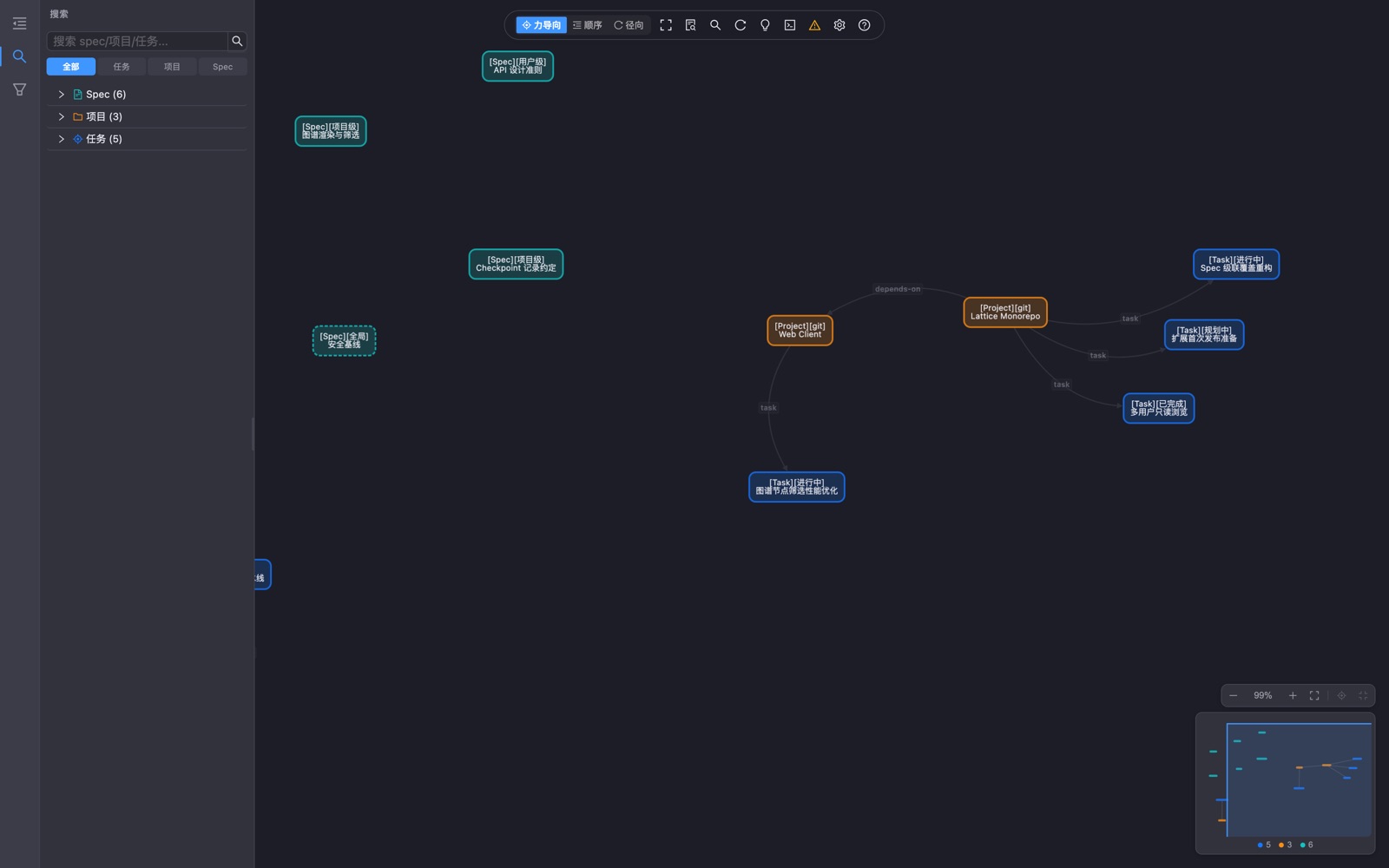
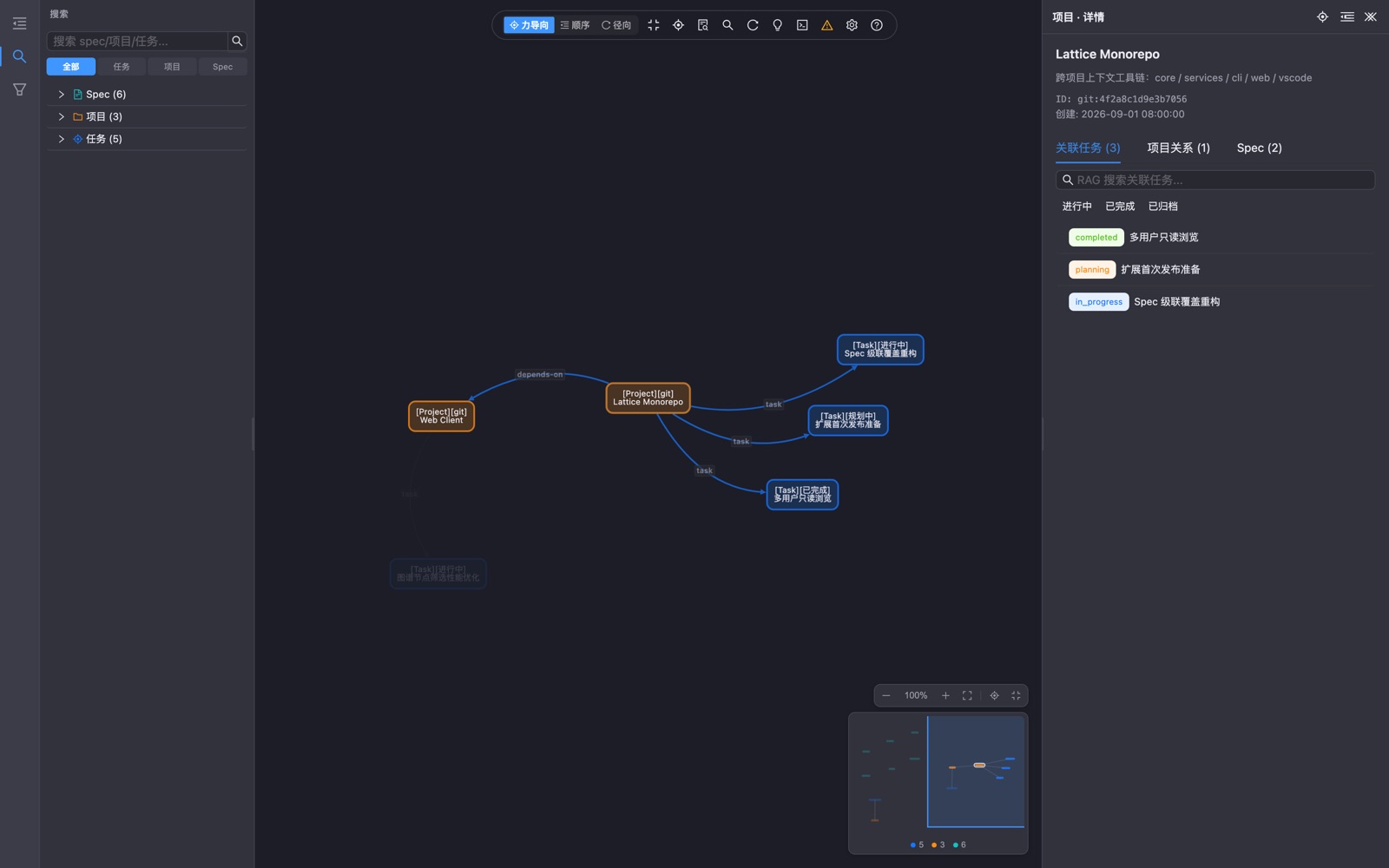
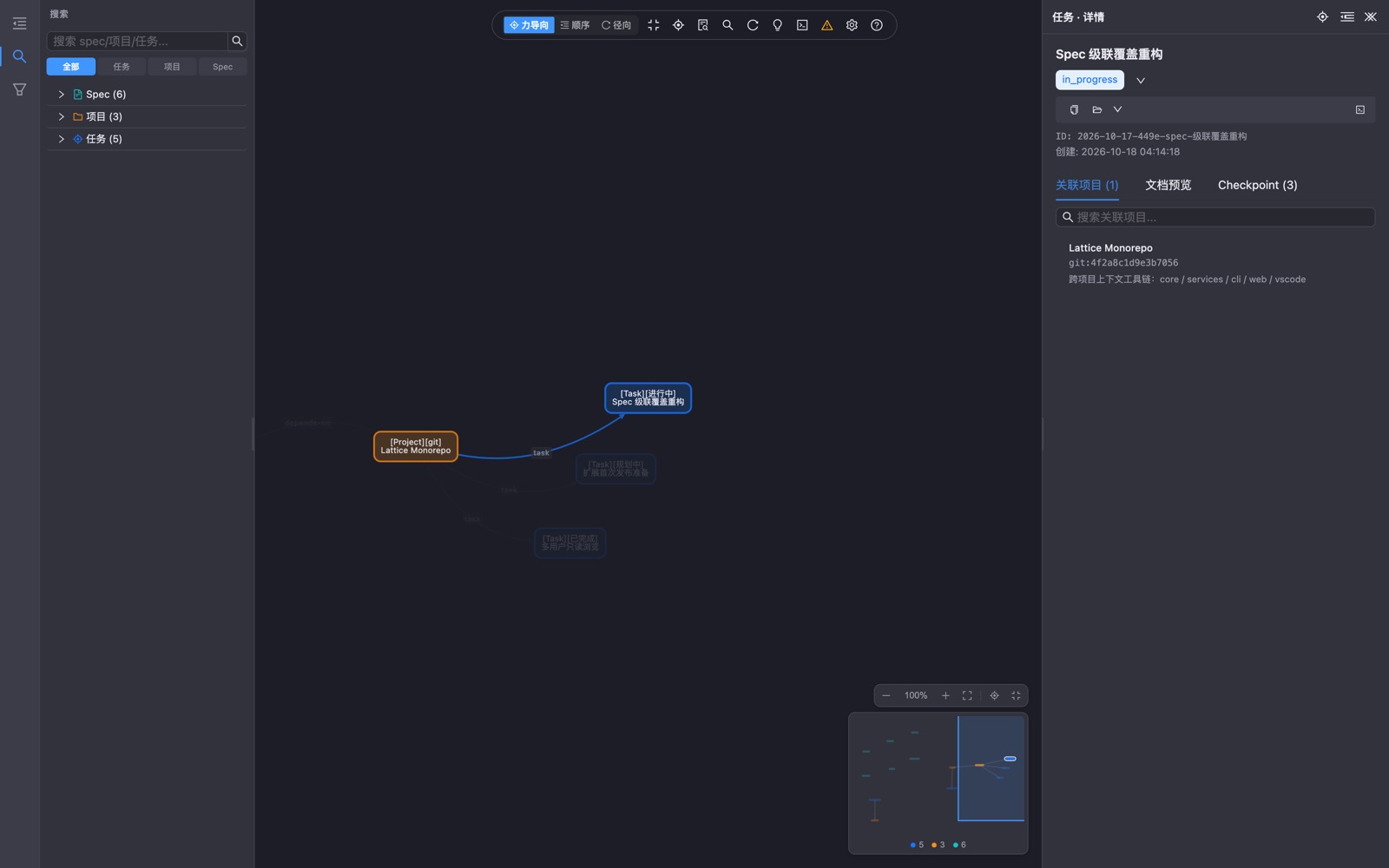
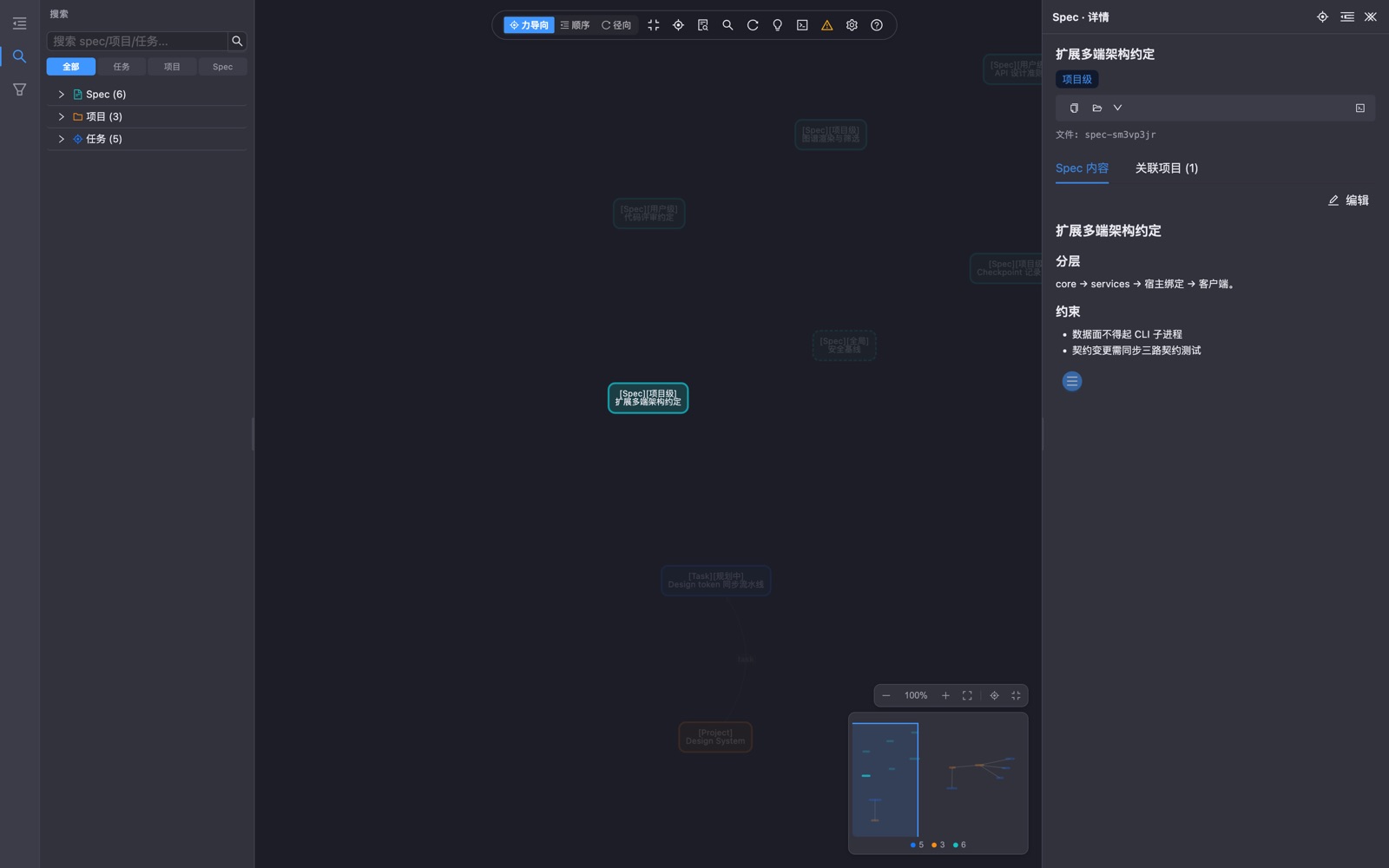
The real web workbench, running on mocked data. No login, no backend, no network requests.
LOCAL-FIRST
Everything lives as plain files in ~/.lattice. No telemetry, no forced cloud, optional Git sync.
FAQ
No. Lattice writes to ~/.lattice by default. Data leaves your machine only when you explicitly enable Git sync.
Any agent that can run a CLI command. Lattice does not lock memory into one model or client.
Lattice models the engineering process — specs, tasks, decisions and checkpoints — in one structure that agents can read directly.
MIT open source and free to use. The CLI needs Node.js; the web workbench is a browser UI over the same local data.
GET STARTED
Install the CLI, initialize local memory, then continue in the next session.